![Inspectly-logo.png]](https://help.inspectly.com/hs-fs/hubfs/Inspectly-logo.png?height=40&name=Inspectly-logo.png)
In this article, you will find a guide on how to create and edit Checklists registrations in the app.
Creating a registration
- Select the project where the registration will be performed
- Select a subproject (if one has been created for the project), otherwise "Press here to go to registrations"
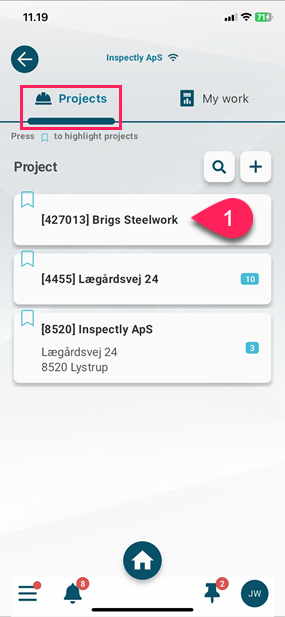
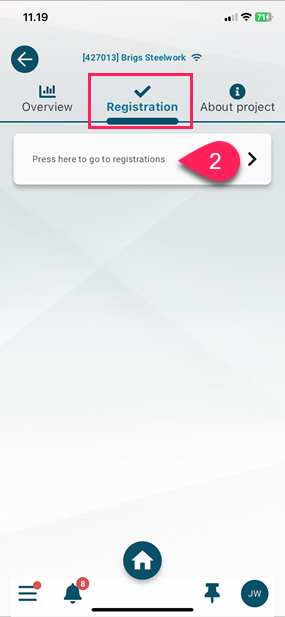
-
Checklists registration types
- Select checklist
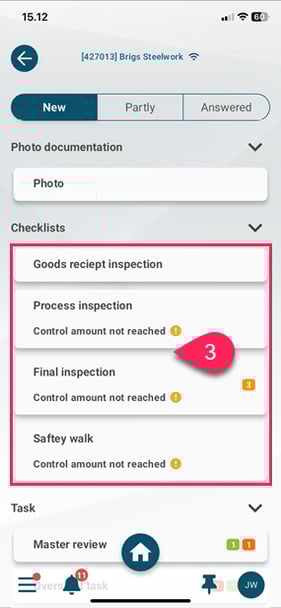
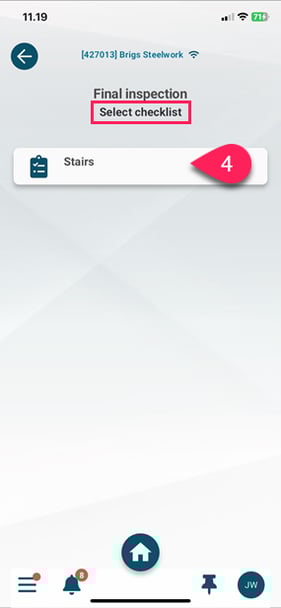
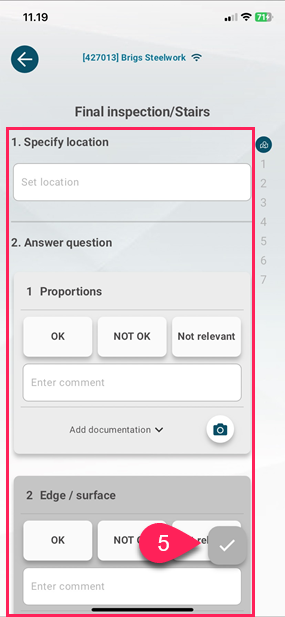
- Fill out the checklist and tap the checkmark to save.
Editing a registration
To edit a registration in the app, this must be allowed for the user’s assigned user group.
This is done on the admin page under:
Account ➜ Users ➜ User groups ➜ Edit User group ➜ Rights ➜ Bottom setting
After this, it is possible to edit registrations via the app.
-
Select the project where the registration will be made.
- Select a subproject (if one has been created for the project), otherwise "Press here to go to registrations"
-
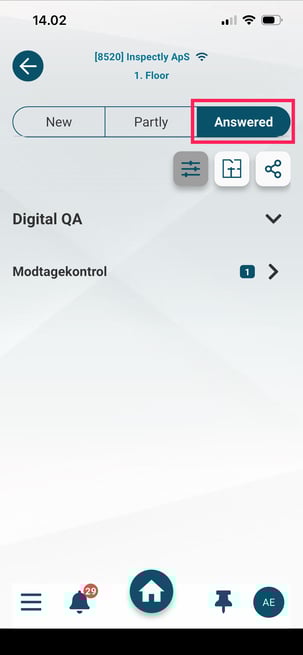
Go to the ‘Answered’ tab.
-
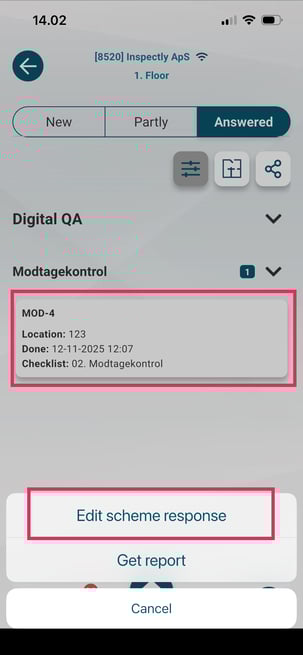
Select the checklist and tap ‘Edit scheme response.’
-
Edit the response and tap the checkmark to save.
Contact us
If you have any questions, you are always more than welcome to contact our support at support@inspectly.com